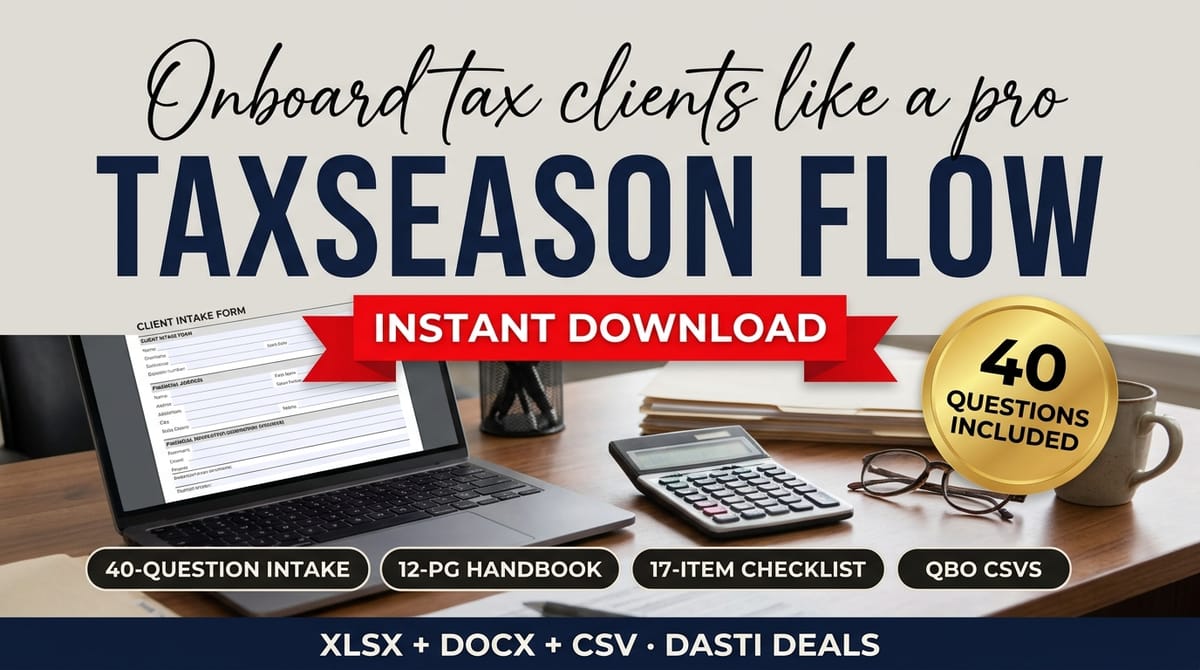


TaxSeason Flow — Bookkeeper Client Onboarding & QBO Import Kit — product cover

Category: Templates · Business Templates

About this product

Tax season doesn't have to mean chasing bank statements. TaxSeason Flow gives your firm a complete, repeatable client-onboarding system — so new clients get onboarded in days, documents arrive on time, and messy client data becomes import-ready CSVs for QuickBooks Online.

WHAT YOU GET (24 files):

  • Client Welcome & Rules Handbook — 12 pages (PDF + editable .docx): how you work, deadlines calendar, document rules, fees, communication standards, year-end procedures, data security, FAQ, glossary, and a signed acknowledgment page. White-label: swap in your firm name and go.
  • New-Client Intake Questionnaire — 40 questions across 8 sections (PDF + editable .docx): business basics, owners & payroll, accounting history, bank accounts, invoicing, bills, tax filing history, and goals.
  • New-Client Engagement Checklist — 17 items (PDF + editable .docx): conflict check to kickoff call, plus an engagement-letter clause checklist.
  • 10 Copy-Paste Client Chase Email Scripts (PDF + editable .docx): gentle reminders that escalate politely — document requests, W-9s, missing statements, payroll access, year-end organizers.
  • Onboarding Status Workbook (.xlsx, 100% native formulas, no macros): a multi-client 7-stage tracker (welcome kit → intake → engagement letter → documents → QBO setup → import review → go-live) with automatic completion %, status, days-active, and missing-document counts; a 24-item document checklist with live received-counter; and an editable stage-settings sheet. Ships with 5 clearly labeled fictional sample clients.
  • QBO Batch Import Kit: 6 CSV templates pre-formatted for QuickBooks Online imports — bank transactions (3-column and 4-column), chart of accounts, customers, vendors, and products & services — each with a filled sample file showing exactly how a good row looks.
  • QBO Mapping & Validation Guide (PDF + editable .docx): which template for which QBO import screen, column-by-column rules, a pre-import validation checklist, the safe 5-row test-import procedure, and common errors with fixes.

HONEST NOTES (please read):

  • This kit prepares clean CSV files for import through QuickBooks Online's own import screens. It does NOT connect to or integrate with QuickBooks.
  • QuickBooks changes its import screens and requirements over time. Always test-import a small file first and follow QBO's current on-screen instructions.
  • This is an organizational and productivity toolkit — not tax, legal, or accounting advice.
  • Sample clients and data are fictional and clearly labeled. CSV dates use MM/DD/YYYY; amounts are plain numbers.
  • The editable handbook and documents are .docx files: edit in Word or Google Docs, or import into Canva. No native Canva share links are included.

FORMAT: ZIP download containing .xlsx workbook, PDFs, editable .docx files, and CSV templates. Works in Excel and Google Sheets; no macros, no add-ins.

What's included

  • 24 files:
  • Client Welcome & Rules Handbook — 12 pages (PDF + editable .docx): how you work, deadlines calendar, document rules, fees, communication standards, year-end procedures, data security, FAQ, glossary, and a signed acknowledgment page. White-label: swap in your firm name and go.
  • New-Client Intake Questionnaire — 40 questions across 8 sections (PDF + editable .docx): business basics, owners & payroll, accounting history, bank accounts, invoicing, bills, tax filing history, and goals.
  • New-Client Engagement Checklist — 17 items (PDF + editable .docx): conflict check to kickoff call, plus an engagement-letter clause checklist.
  • 10 Copy-Paste Client Chase Email Scripts (PDF + editable .docx): gentle reminders that escalate politely — document requests, W-9s, missing statements, payroll access, year-end organizers.
  • Onboarding Status Workbook (.xlsx, 100% native formulas, no macros): a multi-client 7-stage tracker (welcome kit → intake → engagement letter → documents → QBO setup → import review → go-live) with automatic completion %, status, days-active, and missing-document counts; a 24-item document checklist with live received-counter; and an editable stage-settings sheet. Ships with 5 clearly labeled fictional sample clients.
  • QBO Batch Import Kit: 6 CSV templates pre-formatted for QuickBooks Online imports — bank transactions (3-column and 4-column), chart of accounts, customers, vendors, and products & services — each with a filled sample file showing exactly how a good row looks.
  • QBO Mapping & Validation Guide (PDF + editable .docx): which template for which QBO import screen, column-by-column rules, a pre-import validation checklist, the safe 5-row test-import procedure, and common errors with fixes.

Key features

  • White-label handbook → swap in your firm name and the 12-page welcome & rules handbook is client-ready
  • 7-stage tracker with automatic completion % → every client's onboarding status, days-active, and missing-document count visible at a glance
  • 10 chase email scripts that escalate politely → documents arrive on time without awkward follow-ups written from scratch
  • QBO import kit with filled samples → each CSV template shows exactly how a good row looks, with a mapping & validation guide and a safe 5-row test-import procedure
  • Engagement checklist with clause checklist → conflict check to kickoff call, nothing skipped

Frequently asked questions

Does it connect to QuickBooks Online?

No — this kit prepares clean CSV files for import through QuickBooks Online's own import screens. It does NOT connect to or integrate with QuickBooks.

How do I import safely?

The Mapping & Validation Guide walks through the safe 5-row test-import procedure, column-by-column rules, a pre-import validation checklist, and common errors with fixes. QuickBooks changes its import screens over time — always test-import a small file first and follow QBO's current on-screen instructions.

Is the handbook really white-label?

Yes — swap in your firm name and go. The handbook and documents are editable .docx files (Word or Google Docs, or import into Canva).

What data format do the CSVs use?

CSV dates use MM/DD/YYYY; amounts are plain numbers. Each template includes a filled sample file.

Is the sample data real?

No — sample clients and data are fictional and clearly labeled.

What if I need help with the files?

Message the seller through the Gumroad product page contact form.

TaxSeason Flow — Bookkeeper Client Onboarding & QBO Import Kit — product image

TaxSeason Flow — Bookkeeper Client Onboarding & QBO Import Kit

Onboard every bookkeeping client the same clean way, every time. TaxSeason Flow is a white-label client onboarding kit for solo bookkeepers, CPAs, and fractional controllers: a 12-page Client Welcome & Rules Handbook (PDF + editable Word), a 40-question intake questionnaire, a 17-item engagement checklist, 10 copy-paste client chase email scripts, a 7-stage multi-client onboarding tracker spreadsheet, and a QuickBooks Online batch-import kit with 6 pre-formatted CSV templates, filled samples, and a mapping & validation guide.

$45

Buy Now on Gumroad

Related products

More Templates
Freelance Foundations Kit — product image
Templates

Freelance Foundations Kit

Everything to price, bill, and organize your first year of freelancing — in one afternoon. Rate calculator, 3 contract templates, invoice tracker + payment emails, client onboarding kit, finance spreadsheet, and a US tax checklist.

Program in a Box — Coaching Program Kit — product image
Templates

Program in a Box — Coaching Program Kit

Launch a polished, fully-branded 8-week coaching program in a weekend: 28-page workbook, 54-slide deck, client onboarding pack (agreement, intake, emails), testimonial kit & completion certificate. All editable in Canva, PowerPoint & Google Slides.