About this product
THE OUTCOME
One home for every client, every deal, every conversation. A kanban pipeline that shows exactly where each opportunity stands and what it's worth (raw and probability-weighted). A follow-up view that tells you every morning who is overdue and who is due today — with one-tap "done" and "snooze." A weekly hygiene routine that takes 20 minutes and keeps the whole machine honest.
WHO IT IS FOR
- Freelancers and solo consultants juggling 5–30 active opportunities
- Small agencies that want a dead-simple pipeline without Salesforce bloat
- Anyone who has lost a deal because they forgot to follow up
THE PROBLEM
Freelance deals don't die from bad work — they die in silence. A proposal sent with no follow-up date. A warm lead you meant to call back last Tuesday. A "lost" deal you never learned from. Spreadsheets go stale, sticky notes disappear, and there's always a nagging feeling you're leaving money on the table because something slipped.
THE SOLUTION
A simple, offline CRM built around the one thing that loses freelancers the most money: the forgotten follow-up. A kanban pipeline with weighted values, a searchable client directory, and a follow-up tracker that surfaces overdue and due-today items every morning. Two versions in one purchase: an instant offline app and a guided Notion rebuild pack. Pick one home base.
WHAT'S INCLUDED (exact files)
- ClientFlow-CRM-App.html — the complete CRM as ONE self-contained file. Opens in any browser, works offline, no account, no install. Your data stays in your browser (localStorage); nothing uploads anywhere.
- DASHBOARD: pipeline value, weighted value, win rate, follow-ups due, won-this-month, deals by stage, recent activity
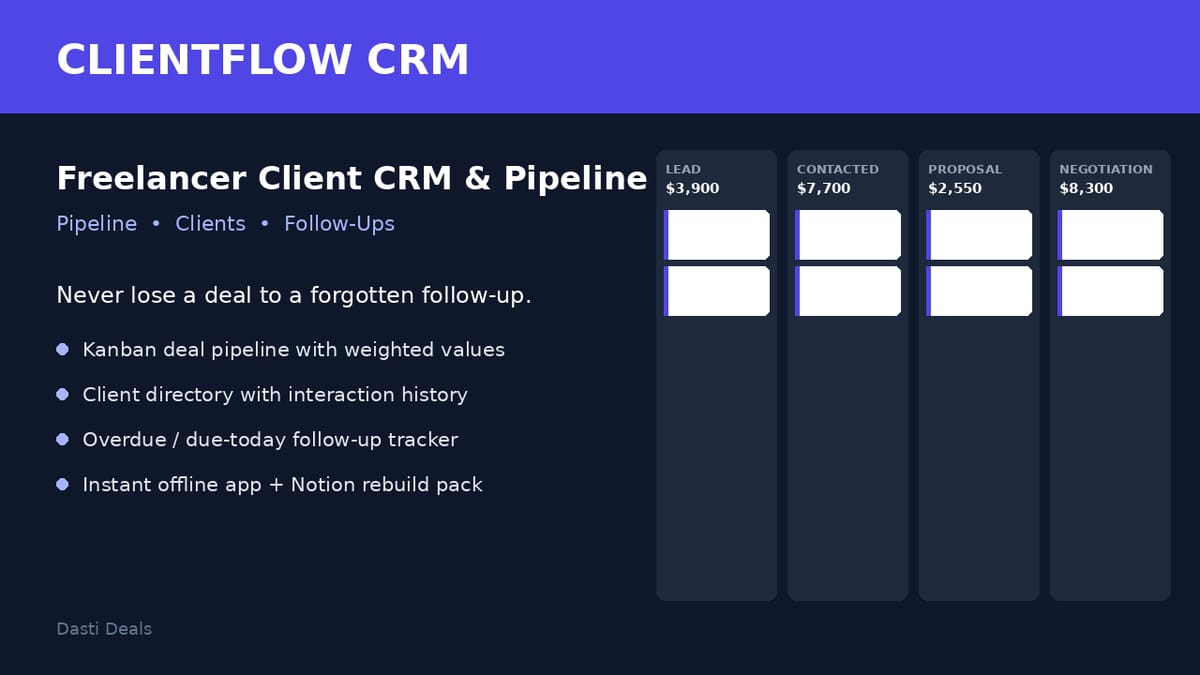
- PIPELINE: kanban board (Lead → Contacted → Proposal Sent → Negotiation → Won → Lost) with per-stage totals, drag-and-drop or button moves, probabilities auto-update per stage
- CLIENTS: searchable directory with contact details, status (Lead/Active/Past), and detail pages showing linked deals + interaction history
- DEALS: project title, client link, value, stage, probability %, weighted value (value × probability), expected close date
- FOLLOW-UPS: interaction log (call/email/meeting/note) with next-follow-up dates; "Needs attention" view of overdue + due-today items with mark-done and 3-day snooze
- DATA: Export/Import JSON backup, sample-data loader, clear-all
- 8 fictional clients, 10 deals, 10 follow-ups preloaded (labeled samples, one-tap clear)
- Notion-Rebuild-Pack/Notion-Build-Guide.pdf — rebuild the same system in your own Notion workspace in ~30–45 minutes: 3 databases (Clients, Deals, Follow-Ups) with every property, type and option; relations (Deals→Clients, Follow-Ups→Clients/Deals); copy-paste formulas (weighted value, overdue flag, days-in-stage); the Pipeline board and Due follow-ups views; dashboard layout spec
- Notion-Rebuild-Pack/Clients-Import.csv, Deals-Import.csv, Follow-Ups-Import.csv — sample rows to import into your Notion databases
- Pipeline-Playbook.pdf — the method: stage definitions, the 2/5/10-day follow-up cadence, 3 proposal follow-up email scripts, the lost-deal review ritual, the weekly 20-minute pipeline hygiene routine
- README-license.txt — contents, formats, license, support
HOW IT WORKS
Download the ZIP → double-click ClientFlow-CRM-App.html → clear the sample data → add your clients and open deals → give every open deal a next follow-up date. Each morning: open Follow-Ups → work the "Needs attention" list. Each Friday: 20 minutes with the Pipeline Playbook's hygiene routine. Notion users: follow the rebuild guide instead.
IDEAL CUSTOMER
You're a freelancer or solo consultant juggling 5–30 active opportunities, and you've lost at least one deal you shouldn't have — to silence, not to competition. You want one calm screen each morning that answers "who am I waiting on?" You're happy to give every open deal a follow-up date, keep a 20-minute Friday hygiene routine, and export a backup weekly. Small agencies that want a dead-simple pipeline without enterprise bloat are welcome too — but this is single-user software.
WHO IT IS NOT FOR
- Teams that need multi-user access, permissions, or shared pipelines — this is a single-user CRM for your own business, with no team features
- Buyers who need email sending, calendar sync, or automatic reminders — the app is offline by design; it tracks your follow-ups but won't send emails, sync calendars, or push notifications (the playbook gives you a manual cadence instead)
- Anyone who expects cloud sync across devices — app data lives in one browser's localStorage on one device, backed up via JSON export; the app and Notion versions don't sync with each other
REQUIREMENTS & LIMITATIONS
- None for the app. A free Notion account only if using the Notion rebuild pack.
- App: any modern browser (Chrome, Safari, Firefox, Edge), desktop or mobile; works offline; add to home screen for one-tap access
- Notion pack: requires a free Notion account (only if you want the Notion version)
- PDFs: any PDF reader
- The Notion pack is a guided rebuild pack (step-by-step guide + CSV imports), NOT a one-click Notion duplicate link — stated plainly here and in the guide.
- The app and the Notion system do not sync with each other — pick one home base.
- App data lives in your browser's localStorage: use Export backup weekly; clearing browser data erases it unless exported.
- Single-user CRM for your own business: no multi-user support, no email/calendar integrations.
- Sample clients, deals and follow-ups are fictional examples.
- This kit contains no income guarantees.
FAQ
- Do I need the internet or an account? No. The app is one HTML file that runs offline; your data stays on your device. (Notion pack needs a free Notion account.)
- Is this a team CRM? No — it's built for one freelancer or solo consultant. No multi-user features.
- Does the app sync with the Notion version? No — they're the same system in two forms; choose one.
- Can I use it on my phone? Yes — it's responsive and works in any mobile browser; add it to your home screen.
- How do I back up my data? Data tab → Export JSON backup, weekly. Import restores it anywhere.
SUPPORT & UPDATES
Questions? Contact me through this Gumroad product page. Instant download as a ZIP (ClientFlow-CRM-v1/); yours to keep; free updates to v1.x.
QA NOTE
The app passed 35 automated checks: 17 pure-logic checks (stage totals, weighted math, win-rate, follow-up due/overdue logic, cascade delete, snooze, probabilities) and 18 headless-browser checks driving the real UI (dashboard stats, kanban totals, add/move deals, follow-up mark-done, client search, client detail, clear/load data, localStorage persistence). Preview images are faithful mockups of the app's real interface and data — a live screenshot render was unavailable in the build environment.
What's included
- ClientFlow CRM App (single HTML file) — the complete CRM in one self-contained file: opens in any browser, works offline, no account, no install; your data stays in your browser.
- Dashboard: pipeline value, weighted value, win rate, follow-ups due, won-this-month, deals by stage, recent activity
- Pipeline: kanban board (Lead → Contacted → Proposal Sent → Negotiation → Won → Lost) with per-stage totals, drag-and-drop or button moves, probabilities auto-update per stage
- Clients: searchable directory with contact details, status (Lead/Active/Past), and detail pages showing linked deals + interaction history
- Deals: project title, client link, value, stage, probability %, weighted value (value × probability), expected close date
- Follow-ups: interaction log (call/email/meeting/note) with next-follow-up dates; "Needs attention" view of overdue + due-today items with mark-done and 3-day snooze
- Data: Export/Import JSON backup, sample-data loader, clear-all
- 8 fictional clients, 10 deals, 10 follow-ups preloaded (labeled samples, one-tap clear)
- Notion Rebuild Pack — Build Guide (PDF): rebuild the same system in Notion in ~30–45 minutes: 3 databases (Clients, Deals, Follow-Ups) with every property, type and option; relations; copy-paste formulas (weighted value, overdue flag, days-in-stage); the Pipeline board and Due follow-ups views; dashboard layout spec
- Notion CSV Imports — sample Clients, Deals, and Follow-Ups rows to import into your Notion databases
- Pipeline Playbook (PDF) — the method: stage definitions, the 2/5/10-day follow-up cadence, 3 proposal follow-up email scripts, the lost-deal review ritual, the weekly 20-minute pipeline hygiene routine
- README & license file
Key features
- The follow-up tracker is the centerpiece: overdue and due-today items surface automatically every morning — so no deal goes silent just because you were busy
- Weighted pipeline math (value × probability) so you see realistic expected revenue, not wishful totals — so your forecast tells the truth
- Win rate and won-this-month stats computed live from your data — so you can see what's working without maintaining a separate report
- Zero setup for the app: double-click and go; 30–45 minutes for the Notion build — so you're working within minutes, whichever version you pick
- Tested: 35 automated functional checks passed (see QA note below)