About this product
THE HEADLINE
Open one file, fill in the form, and get a clean, readable agreement with your names, numbers, and dates in place — ready to print or save as PDF in minutes. No app subscription, no cloud account, no billable hour.
WHO THIS IS FOR
- Freelancers & consultants who need services agreements with clients
- Small businesses hiring independent contractors
- Founders & partners who need NDAs before sharing ideas or pricing
- Anyone documenting a personal or business loan
- Anyone who wants paperwork done without an app subscription or a cloud account
THE PROBLEM
You need a contract, not a billable hour. Freelancers, consultants, small businesses, and landlords sign agreements all the time — project work, contractors, partnerships, loans between friends — but lawyers are expensive, templates found online are half-finished, and "figure it out yourself" risks getting the details wrong.
THE SOLUTION
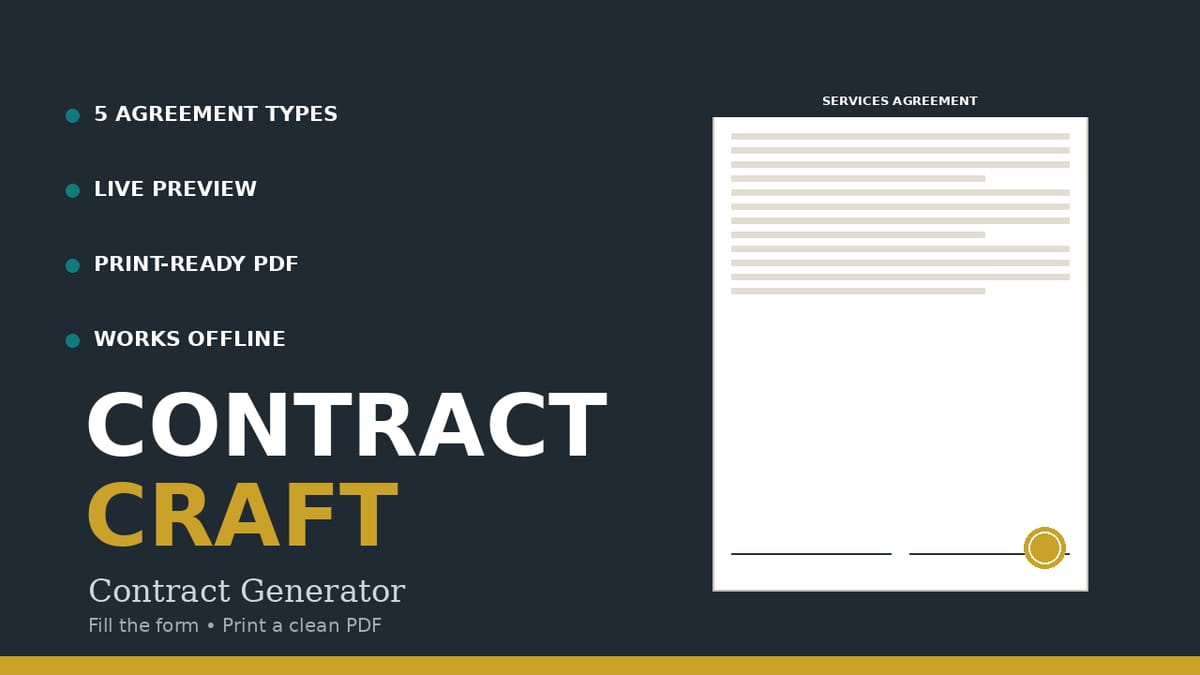
A single offline HTML file that turns fill-in-the-blank forms into clean, printable contracts. Plain-English hints explain every field, optional clauses add late fees, kill fees, or non-solicitation with one click, and the document preview updates live as you type. Every generated document carries the not-legal-advice disclaimer in its footer.
EXACTLY WHAT'S INSIDE (the download)
- ContractCraft.html — the generator app (single HTML file, ~48 KB; zero external dependencies)
- ContractCraft-Guide.pdf — 4-page Quick-Start Guide: a 15-minute walkthrough, plain-English explanations of the key clauses (late fees, kill fees, IP, non-solicitation, NDAs), a printing/signing checklist, customization cautions, and FAQ
- README-license.txt — contents, formats, and your license
THE 5 AGREEMENT TYPES IT GENERATES
- Freelance Services Agreement — scope, deliverables, fee structure (fixed or milestone), payment terms, IP choice, optional late-payment fee, kill fee, and confidentiality clauses
- Independent Contractor Agreement — rate & pay schedule, expenses, term, termination notice, optional two-way non-solicitation
- Mutual NDA — two-way confidentiality for partnerships and joint ventures
- One-Way NDA — when you're sharing your idea, pricing, or data with someone evaluating it
- Loan Agreement — plain-language promissory note: amount, interest (0 for interest-free), fixed or monthly repayment, optional late fee
HOW IT WORKS
- Download and unzip. Double-click ContractCraft.html.
- Pick an agreement type tab (or click "Load sample" to see a worked fictional example).
- Fill in the fields. Required ones are marked *; hints explain each one. Inline validation blocks generation on empty required fields and names the field.
- Toggle optional clauses. Watch the preview update live.
- Click "Print / Save PDF" and choose "Save as PDF" (or print two paper copies for wet signatures). Both parties sign; each keeps a copy.
THE CONTRACTS LADDER — WHICH PRODUCT DO YOU NEED?
- Want READY-MADE agreements to sign as-is? The Paid & Protected Contract Pack (https://dastideals.gumroad.com/l/paid-protected-contract-pack) gives you 7 ready-to-sign agreements, and the Freelance Contract Bundle — Per-Industry Edition (https://dastideals.gumroad.com/l/freelance-contract-bundle-industry) adds industry-specific risk clauses.
- Want to GENERATE contracts from templates yourself, customizing each one in a guided form with live preview? That's ContractCraft — this product. Pick the ladder rung that matches how you work.
IDEAL CUSTOMER
A freelancer, consultant, or small-business owner who needs an ordinary low-stakes agreement (client project, contractor hire, NDA, friend loan) done this afternoon, and who will have an attorney review anything involving large sums, employment classification, or real risk.
WHO IT IS NOT FOR
- Anyone needing employment contracts, leases, partnership agreements, or high-stakes commercial deals: the templates cover only the 5 agreement types listed above and are not substitutes for those documents.
- People who need enforceability warranties: no warranty is made that a generated document is enforceable or suitable for your situation — this is stated in the app, in every document footer, in the guide, and in the README.
- Buyers who want state-specific legal guidance: laws vary by state and country, and some clauses (non-solicitation periods, late-fee rates, interest rules) are restricted in certain jurisdictions — the templates use moderate, neutral wording, but local law wins. When in doubt, this is the "call a lawyer" rung.
- People looking for legal advice: ContractCraft is not a law firm, and nothing here creates an attorney-client relationship.
REQUIREMENTS & LIMITATIONS
- A modern browser (Chrome, Edge, Firefox, Safari) on desktop or mobile. Runs fully OFFLINE — no internet connection needed after download. No installation, no account, no subscription.
- Template only — not legal advice. ContractCraft is not a law firm. Have a licensed attorney in your state review any contract before you sign or send it.
- The app generates documents from general-purpose templates with plain-English guidance. Nothing here creates an attorney-client relationship.
- Laws vary by state and country. Some clauses (e.g. non-solicitation periods, late-fee rates, interest rules) are restricted in certain jurisdictions — these templates use moderate, neutral wording, but local law wins.
- The templates cover the five agreement types listed above; they are not substitutes for employment contracts, leases, partnership agreements, or high-stakes commercial deals.
- We make no warranty that a generated document is enforceable or suitable for your situation. For agreements involving large sums, employment classification questions, or real risk, have a licensed attorney review the document before you rely on it.
- Drafts live in your browser's localStorage — save important work via Print / Save PDF; clearing browser data loses unsaved drafts.
- All sample data is fictional and labeled as such — replace it with your own details.
FAQ
- Does it work offline? — Yes. The HTML file has zero external dependencies. Open it in any browser; your data never leaves your computer.
- Do I need any special software? — No. Just a modern browser. PDF export uses your browser's built-in "Save as PDF".
- Can I use it for clients in another country? — You can, but set the governing-law field carefully and expect that cross-border enforcement is complicated. Consider local counsel for international deals.
- Are the sample documents real? — No. All sample data is fictional and labeled as such. Replace it with your own details.
- Is this legal advice? — No. These are general-purpose templates. They are not legal advice and ContractCraft is not a law firm. Have a licensed attorney in your state review any contract before you sign or send it.
- What if I need help with the files? — Message the seller through the Gumroad product page contact form.
DELIVERY
Instant digital download from Gumroad. You get a ZIP file containing ContractCraft.html, ContractCraft-Guide.pdf, and README-license.txt. Keep your copy — it works forever, offline.
LICENSE
Your own business use. You (and your employees/assistants, for your business) may generate unlimited agreements. You may not redistribute, resell, share, or publish the files. Full terms in README-license.txt.
SUPPORT & UPDATES
Questions or problems with the files: contact the seller via the Gumroad product page. All v1.x updates are free for life.
What's included
- ContractCraft.html — the generator app (single HTML file, ~48 KB; zero external dependencies).
- ContractCraft-Guide.pdf — 4-page Quick-Start Guide: a 15-minute walkthrough, plain-English explanations of the key clauses (late fees, kill fees, IP, non-solicitation, NDAs), a printing/signing checklist, customization cautions, and FAQ.
- README-license.txt — contents, formats, and your license. The 5 agreement types it generates:
- Freelance Services Agreement — scope, deliverables, fee structure (fixed or milestone), payment terms, IP choice, optional late-payment fee, kill fee, and confidentiality clauses.
- Independent Contractor Agreement — rate & pay schedule, expenses, term, termination notice, optional two-way non-solicitation.
- Mutual NDA — two-way confidentiality for partnerships and joint ventures.
- One-Way NDA — when you're sharing your idea, pricing, or data with someone evaluating it.
- Loan Agreement — plain-language promissory note: amount, interest (0 for interest-free), fixed or monthly repayment, optional late fee.
Key features
- Live document preview — every keystroke updates the agreement — you see exactly what the other party will sign, as you type.
- Plain-English hints on every field; required fields marked * — you can't accidentally leave a critical term blank (validation blocks it and names the field).
- Optional clauses with toggle checkboxes (late-payment fee, kill fee, confidentiality, non-solicitation) — add protection with one click, remove it with one click.
- Save/load named drafts in your browser (your data never leaves your computer) — pause and finish later.
- "Load sample" shows a fully worked fictional example for each agreement type — learn the flow before entering your real details.
- Print / Save PDF button with a print stylesheet — only the agreement prints (Letter, 1in margins; clauses and signature blocks avoid page-break splits).
- Copy as text — paste into your own letterhead.
- Zero external dependencies: no internet, no account, no server, no tracking — works forever, offline.
- Tested: 114/114 functional checks — all 5 types render substantive documents, clause toggles appear/disappear correctly, validation blocks empty required fields, drafts round-trip, print stylesheet verified.