About this product
THE OUTCOME
Stop guessing and start knowing: type in your debts and one extra-payment number, and get your debt-free month under both classic strategies, the true interest cost of each, and the exact order to attack your debts — a concrete plan you can execute this month.
WHO IT'S FOR
Anyone carrying 2+ debts who wants a concrete plan instead of minimum-payment autopilot — card debt, personal loans, auto loans, or a mix.
THE PROBLEM
Minimum payments are designed to keep you in debt for decades. What they never show you is the alternative: what happens if you pay extra, and which debt that extra should attack first.
THE SOLUTION
Debt-Free Date simulates your payoff month by month — up to 30 years — under both classic strategies, with YOUR debts and YOUR monthly extra payment:
- Your exact debt-free date and month for each strategy
- Total interest paid under each — the true cost, side by side
- The payoff order: which debt clears in which month
- The extra-payment cascade: freed minimums join your attack automatically
- A head-to-head verdict line (on the sample debts: Avalanche saves $597.69)
HOW IT WORKS
Each simulated month: interest accrues, every minimum is paid, then the entire extra pool — your monthly extra, plus the minimums freed by debts you've already cleared, plus any unused extra rolled over — attacks the single top-priority unpaid debt. Avalanche targets the highest APR; Snowball targets the smallest balance. The exact rule is documented in the workbook so you always know precisely what the model does.
FEATURES → WHAT THEY DO FOR YOU
- 360-month pure-formula simulation engine → every figure updates instantly when you change an input; no macros, no black boxes.
- Avalanche vs Snowball side by side with a verdict line → you see your exact tradeoff in dollars and pick the strategy you'll actually stick with.
- Minimum-below-interest red warning → you find out immediately if a debt is growing faster than its minimum payment.
- FIRST WIN payoff-order sheet → an early "one debt gone" milestone to keep you motivated.
IDEAL CUSTOMER — PICTURE THIS
Someone with three cards and a car loan who has been paying minimums for two years. In 15 minutes they enter their real numbers, see that an extra $200/month clears everything 4 years sooner, and finally have a month-by-month order to follow.
WHO IT IS NOT FOR
- People with one debt or no debt — there is nothing to compare or prioritize.
- Anyone wanting automatic bank sync, rate negotiation, or autopay — this is a planner you feed with your own numbers; it doesn't move money or call creditors.
- People who won't gather their statements — the plan is only as good as the balances, APRs, and minimums you enter.
- Anyone who needs financial advice — these are planning estimates from your inputs, not professional advice.
FORMATS & COMPATIBILITY
XLSX (Excel 2016+, Google Sheets, LibreOffice Calc) + PDF guide. No macros, no add-ins, works offline. Yellow cells are inputs; everything else is formulas.
PREREQUISITES
Your current balances, APRs, and minimum payments (a recent statement has all three). Basic spreadsheet comfort — if you can type into a yellow cell, you can use this.
LIMITATIONS (please read)
- Fixed-APR model: rate changes, penalty APRs, and expiring promo rates are not simulated.
- Assumes no new charges — new spending breaks any payoff plan.
- Unused extra rolls month-to-month rather than cascading within the same month, so dates are conservative by up to ~1 month per payoff.
- Planning estimates from your inputs — not financial advice. Your creditors' actual terms always control.
LICENSE
Personal/household use. No redistribution or resale.
FAQ
- Which strategy should I pick? Avalanche costs the least interest; Snowball clears a whole debt sooner. COMPARE shows your exact tradeoff — pick the one you'll stick with.
- I can only pay minimums right now. Is this still useful? Yes — set extra to $0 and you'll see your minimums-only timeline, which is usually the motivation to find extra.
- What if a minimum doesn't cover the interest? The DEBTS sheet warns you in red, and the schedule shows that balance honestly growing until extra payments reach it.
- Can I model a balance transfer? Yes — enter it as a new debt (amount, new APR, new minimum), zero the old ones, and add any transfer fee to the new balance yourself.
- Does it work in Google Sheets? Yes — all formulas are Sheets-compatible. Save a copy before editing.
SUPPORT & UPDATES
Questions? Contact us through the Gumroad product page. Free updates to v1.x.
POST-PURCHASE MESSAGE
Your Debt-Free Date dashboard is ready. Start on the START HERE sheet, replace the 5 fictional sample debts with your own on DEBTS (yellow cells), and check COMPARE for your head-to-head verdict. If this helped you see your finish line, a review means a lot — thank you!
TAGS
debt payoff, debt snowball, debt avalanche, payoff calculator, debt free, spreadsheet, excel template, google sheets, personal finance, budgeting
What's included
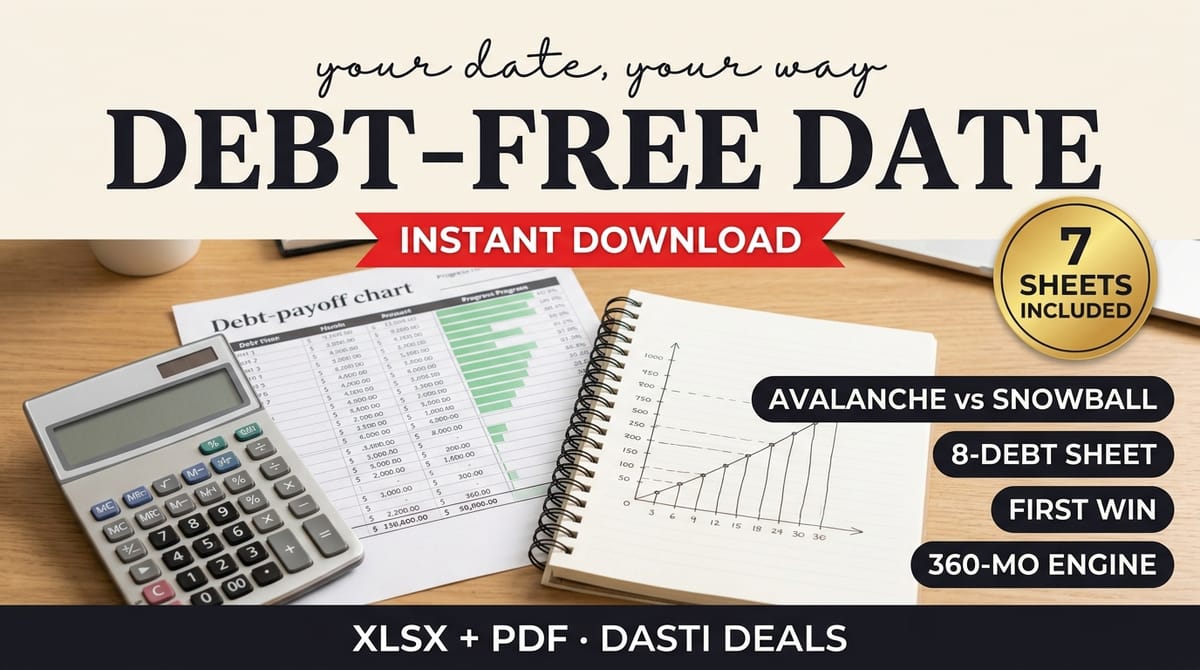
- Debt-Payoff-Dashboard.xlsx — 7 sheets: START HERE, DEBTS (up to 8 debts; fixed-$ or %-of-balance minimums), SCHEDULE (full 360-month engine for your chosen strategy), SCHEDULE-ALT (same engine, other strategy), COMPARE (verdict), FIRST WIN (payoff order), DEFINITIONS (exact rules). Zero macros.
- Quick-Start Guide (PDF) — 15-minute setup, avalanche vs snowball honestly compared, reading your results, FAQ.
- 5 fictional sample debts pre-loaded so you can watch the engine work before entering your own.
- README-license.txt — contents, compatibility, license, and disclaimer.
Key features
- 360-month pure-formula simulation engine → every figure updates instantly when you change an input; no macros, no black boxes
- Avalanche vs Snowball side by side with a verdict line → you see your exact tradeoff in dollars and pick the strategy you'll actually stick with
- Minimum-below-interest red warning → you find out immediately if a debt is growing faster than its minimum payment
- FIRST WIN payoff-order sheet → an early "one debt gone" milestone to keep you motivated
- How the engine works, exactly: each simulated month, interest accrues, every minimum is paid, then the entire extra pool — your monthly extra, plus the minimums freed by debts you've already cleared, plus any unused extra rolled over — attacks the single top-priority unpaid debt. Avalanche targets the highest APR; Snowball targets the smallest balance. The exact rule is documented in the workbook.