Most small landlords run their rentals on a mess of disconnected spreadsheets — one per property, none of them talking to each other. Rent tracking lives in one file, expenses in another, mileage in a glovebox notebook. Then tax season arrives and it's a shoebox of receipts, a panicked weekend, and a bigger CPA bill. You can't answer the simplest question: which of my properties is actually making money?
THE OUTCOME
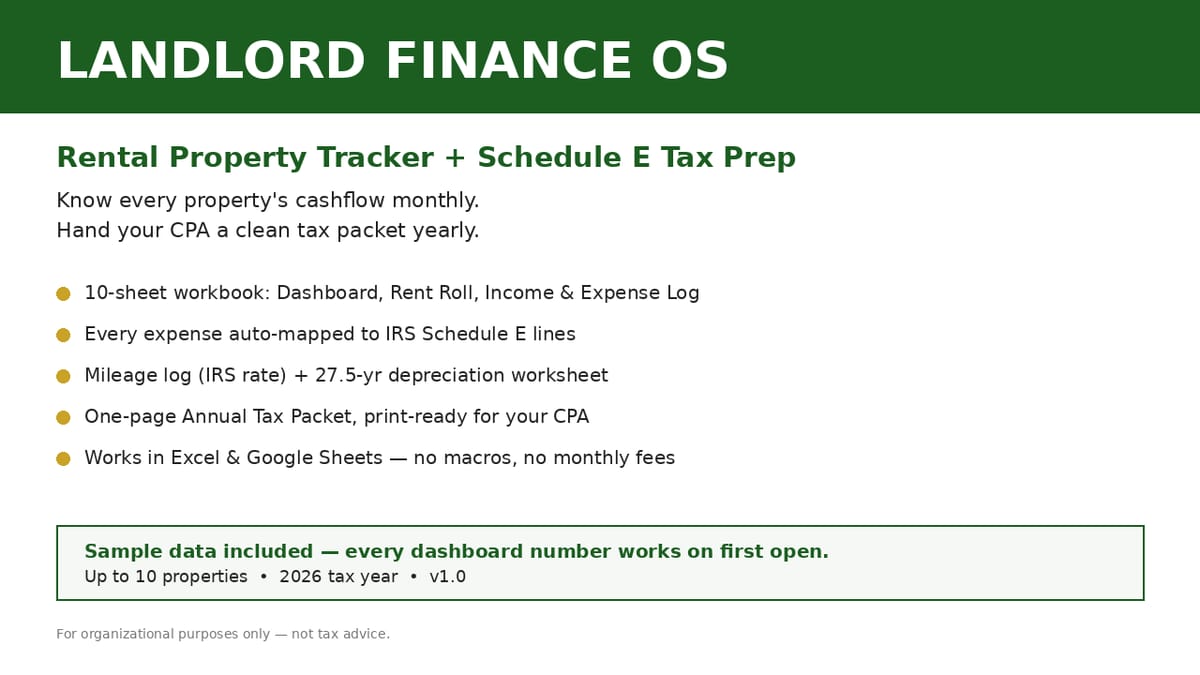
One workbook that answers "what's my cashflow?" every month and produces a clean, print-ready tax packet every year. Log rent and expenses once; the dashboard shows portfolio income, expenses, NOI, cashflow, cap rate, and occupancy at a glance. Every expense is auto-mapped to its IRS Schedule E line, mileage is priced at the IRS rate automatically, depreciation is calculated for you, and the Annual Tax Packet prints on one page — ready to hand to your CPA.
WHO THIS IS FOR
Landlords with 1–10 rental units (single-family, duplexes, small multifamily, condos)
First-time landlords setting up their books properly from day one
Self-managers tired of juggling one spreadsheet per property
Anyone who dreads tax season and wants a CPA-ready packet instead of a shoebox
WHAT'S INCLUDED (exact files)
Landlord-Finance-OS-2026-SAMPLE.xlsx — the full workbook with realistic fictional sample data ("Maple St Duplex" and "Oak Ave Condo") so every dashboard number and chart works on first open
Landlord-Finance-OS-2026-BLANK.xlsx — the same workbook with sample data cleared, ready for your properties
Property Register — up to 10 properties: purchase details, loan terms, auto-calculated monthly P&I
Rent Roll — per-unit monthly tracking: due/paid, days late, automatic 5% late fees after 5 days, vacancy flags
Income & Expense Log — every transaction categorized to IRS Schedule E lines via dropdown (no free-typing); auto-totals
Mileage Log — date, purpose, miles; deduction auto-priced at the IRS standard rate
Loan Amortization — full payment schedule per loan, interest-vs-principal split
Depreciation Worksheet — 27.5-year straight-line residential depreciation with mid-month convention
Annual Tax Packet — one-page print-ready Schedule E summary per property + portfolio, mileage total, depreciation total
Maintenance Log — work orders, vendors, costs
HOW IT WORKS
Download the ZIP → open Setup-Guide.pdf → enter your first property in about 10 minutes → log your first rent payment → watch the dashboard populate. Monthly: log rent and expenses (15 minutes). Year-end: open the Annual Tax Packet, print it, hand it to your CPA.
FORMATS & COMPATIBILITY
.xlsx: Excel 2016+, Microsoft 365 (Windows/Mac), Google Sheets (File > Import — see the one-page guide), LibreOffice Calc
.pdf: any PDF reader
PREREQUISITES
None — if you can fill in a spreadsheet, you can use this workbook. No accounting background needed.
LIMITATIONS & DISCLOSURES
Built around US IRS Schedule E categories; landlords outside the US can still use the tracking but the tax mapping is US-specific.
For organizational purposes only — NOT tax, legal, or financial advice. Verify depreciation, deductions, and filing positions with a licensed CPA.
The IRS standard mileage rate default ($0.70) is a labeled sample — update it to the current IRS rate for the tax year.
The Depreciation Worksheet covers one property's 27.5-year residential schedule; verify with your CPA before filing.
Sample properties, tenants, and transactions are fictional examples.
This workbook makes no claims about investment returns or tax savings.
DELIVERY & ACCESS
Instant download as a ZIP file (Landlord-Finance-OS-v1/) after purchase. Yours to keep; free updates to v1.x.
LICENSE
Licensed to you, the buyer, for your own rental business — track up to 10 properties per workbook, as many workbooks as you need. You may not resell, share, or redistribute the files themselves.
FAQ
Excel or Google Sheets? Both. The .xlsx opens natively in Excel; a one-page guide shows the 2-minute Google Sheets import.
How many properties? Up to 10 per workbook. Most buyers use one workbook for their whole portfolio.
Is this tax software or tax advice? Neither — it's an organizer. It structures your numbers by Schedule E line so your CPA (or tax software) has clean inputs. Always verify with a CPA.
I'm not in the US — is it useful? The tracking, rent roll, cashflow, and mileage features work anywhere; only the Schedule E mapping is US-specific.
What if I need help with the workbook? Reply to your purchase receipt email — we'll help with the spreadsheet (we can't give tax advice).
What's included
Landlord Finance OS — SAMPLE workbook (spreadsheet) — the full workbook with realistic fictional sample data so every dashboard number and chart works on first open
Landlord Finance OS — BLANK workbook (spreadsheet) — the same workbook with sample data cleared, ready for your properties
Schedule E Expense Category Cheatsheet (PDF) — every expense category mapped to its Schedule E line
How to Use With Google Sheets (1-page PDF) — import guide for Google Sheets users
README & license file The 10 sheets: Start Here · Dashboard (portfolio income, expenses, NOI, cashflow, cap rate, occupancy + charts) · Property Register (up to 10 properties) · Rent Roll (due/paid, days late, automatic late fees, vacancy flags) · Income & Expense Log (Schedule E dropdown categories) · Mileage Log (auto-priced at the IRS rate) · Loan Amortization · Depreciation Worksheet (27.5-year straight-line) · Annual Tax Packet (one-page print-ready summary) · Maintenance Log
Key features
Every formula tested and verified (21 automated checks against hand-computed values — zero failures)
Realistic sample data preloaded — yellow cells show exactly where to type your own numbers
No macros, no add-ins, no sign-in — plain formulas that work in Excel and Google Sheets
Schedule E line-mapping built in: pick a category, the line number fills itself in
Print-ready one-page tax packet for your CPA
Frequently asked questions
Excel or Google Sheets?
Both. The .xlsx opens natively in Excel; a one-page guide shows the 2-minute Google Sheets import.
How many properties?
Up to 10 per workbook. Most buyers use one workbook for their whole portfolio.
Is this tax software or tax advice?
Neither — it's an organizer. It structures your numbers by Schedule E line so your CPA (or tax software) has clean inputs. Always verify with a CPA.
I'm not in the US — is it useful?
The tracking, rent roll, cashflow, and mileage features work anywhere; only the Schedule E mapping is US-specific.
What if I need help with the workbook?
Reply to your purchase receipt email — we'll help with the spreadsheet (we can't give tax advice).
Landlord Finance OS
Stop drowning in one-spreadsheet-per-property chaos. Track rent, expenses, and cashflow for up to 10 properties — and turn your year into a CPA-ready tax packet mapped to IRS Schedule E lines. Works in Excel & Google Sheets.
Pay yourself a steady salary from irregular freelance income — and never fear quarterly taxes again. Automatic income splitting, quarterly tax-reserve tracker, invoice aging, and salary runway. 7-sheet spreadsheet system, 104 formula checks passed.
Know your numbers before you buy. This BRRRR spreadsheet computes cash left in the deal, refinance proceeds, cashflow, cash-on-cash return and cap rate — and compares 3 deals side by side. 4 sheets, live formulas, 3 sample deals. For Excel, Google Sheets & LibreOffice.
Stop deciding with slogans. This spreadsheet models BOTH paths honestly — ownership costs plus the renter's invested down payment and monthly savings — over 3 to 30 years, with your numbers.
A formula-driven spreadsheet for the road to financial independence: 36-month net-worth log, FI number + Coast FI calculator, closed-form years-to-FI estimate, and a 3-scenario planner. Excel, Google Sheets & LibreOffice. Estimates, not promises.