Freelancers don't have an income problem so much as a timing problem: $7,800 one month, $2,300 the next. Spend July's money in July and you're broke in June. And every April, the tax bill you never reserved for lands like a punch. Traditional budgets assume a steady paycheck — which you don't have.
THE OUTCOME
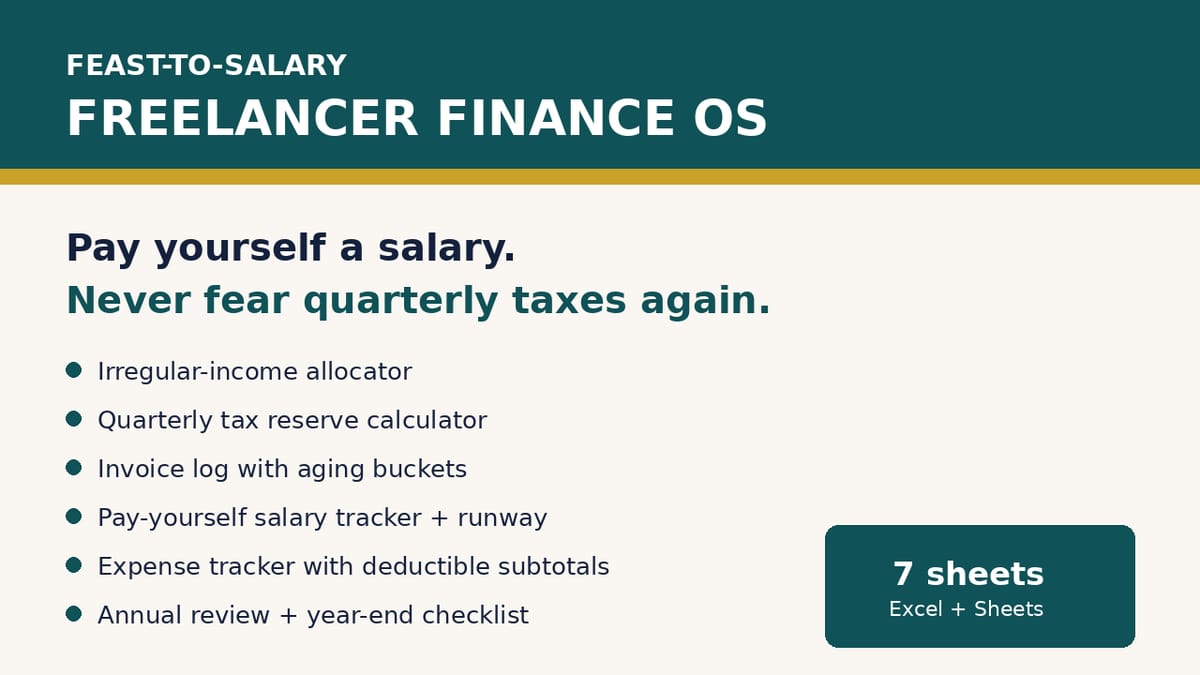
One spreadsheet that turns chaotic income into a system: every payment is automatically split into Tax Reserve, Profit, Business Expenses, and an Owner Pay pool — and you pay yourself the SAME salary every month, feast or famine. Quarterly, your estimated-tax money is already sitting there waiting. You'll always know your salary runway in months.
WHO THIS IS FOR
Freelancers with irregular income (designers, writers, developers, marketers, consultants, VAs)
Anyone who's been surprised by a quarterly or year-end tax bill
Freelancers who want a profit-first style allocation without expensive software
Side-hustlers formalizing their money system
WHAT'S INCLUDED (exact files)
Feast-to-Salary-Finance-OS.xlsx — 7 sheets:
START HERE — the 4-account model (Operating / Tax Reserve / Owner Pay / Profit), 5-step setup, sheet map
Settings & Salary Calculator — enter target salary, expenses, reserve % and profit %; get your required average monthly gross, reserve-per-$1,000, rolling income average, and an honest sustainability verdict
Income Allocator — the heart: monthly income auto-split into Tax Reserve, Profit, Business Expenses, Owner Pay Pool; pay-yourself tracker with running pool balance and months-of-runway (red/green alerts)
Quarterly Tax Reserve — the 4 IRS income periods (Jan–Mar / Apr–May / Jun–Aug / Sep–Dec) with standard due dates, accumulated reserve vs paid, and shortfall warnings
Invoice Log & Aging — invoice tracking with automatic Paid / Open / Overdue status, days outstanding, and aging buckets (Current / 1–30 / 31–60 / 60+)
Expense Tracker — 12-category tracker with dropdowns, deductible Y/N flags, monthly and category totals, deductible subtotal
Annual Review — year summary, "3 numbers to know" KPIs, quarterly snapshot, and a year-end checklist
Quick-Start-Guide.pdf — the Feast-to-Salary method, setting your percentages, the Friday 15-minute routine, quarterly tax workflow, how to handle a $0 month, FAQ
README-license.txt — contents, compatibility, license, support
HOW IT WORKS
Open the Quick-Start Guide → enter your numbers in Settings → log each month's income in the Allocator and your salary in the yellow column → log invoices and expenses as they happen → 15 minutes every Friday. Quarterly: pay estimated taxes from the reserve and log the payment.
FORMATS & COMPATIBILITY
.xlsx: Excel 2016+, Microsoft 365, Google Sheets (File > Import), LibreOffice Calc
.pdf: any PDF reader
PREREQUISITES
None — if you can fill in a spreadsheet, you can use this system.
LIMITATIONS & DISCLOSURES
US-oriented: the quarterly sheet follows the IRS estimated-tax schedule. The allocation math works anywhere; adjust for your country's tax system.
NOT tax, legal, or financial advice. The reserve is a savings estimate, not a tax calculation. Consult a licensed CPA about your situation.
Quarterly due dates shown are the standard IRS dates — verify current-year dates at IRS.gov.
Mileage tracking is intentionally out of scope (keep it focused).
Sample data is fictional — replace yellow cells with your own figures.
This kit contains no income guarantees.
DELIVERY & ACCESS
Instant download as a ZIP file (Feast-to-Salary-Finance-OS-v1/) after purchase. Yours to keep; free updates to v1.x.
LICENSE
Licensed to you, the buyer, for use in your own freelance business. You may not resell, share, redistribute, or republish these files.
FAQ
Is this different from a normal budget? Yes — normal budgets assume steady income. This system splits irregular income and pays you a smoothed salary from a pool.
Does it work in Google Sheets? Yes — plain-formula .xlsx, no macros; use File > Import.
What if I have a $0 month? Log $0. The pool covers your salary from savings and runway drops — the sheet shows you the truth instead of hiding it.
I'm not in the US — is this useful? The allocator, salary smoothing, invoicing, and expense logic work anywhere; only the quarterly sheet follows the IRS schedule.
Is this tax advice? No — it's an organizational tool. The reserve is your own savings buffer; your actual liability needs a CPA.
QA NOTE
Built and verified 2026-10-17: the workbook was recalculated in LibreOffice and 104/104 checks passed against independently hand-computed values (income splits, pay-pool running balances, runway, quarterly reserves, aging buckets, expense totals, annual KPIs). Preview images are genuine renders of the actual sheets.
What's included
Feast-to-Salary Finance OS (spreadsheet, 7 sheets):
Start Here — the 4-account model (Operating / Tax Reserve / Owner Pay / Profit), 5-step setup, sheet map
Settings & Salary Calculator — enter target salary, expenses, reserve % and profit %; get your required average monthly gross, reserve-per-$1,000, rolling income average, and an honest sustainability verdict
Income Allocator — the heart: monthly income auto-split into Tax Reserve, Profit, Business Expenses, Owner Pay Pool; pay-yourself tracker with running pool balance and months-of-runway (red/green alerts)
Quarterly Tax Reserve — the 4 IRS income periods with standard due dates, accumulated reserve vs paid, and shortfall warnings
Invoice Log & Aging — invoice tracking with automatic Paid / Open / Overdue status, days outstanding, and aging buckets (Current / 1–30 / 31–60 / 60+)
Expense Tracker — 12-category tracker with dropdowns, deductible Y/N flags, monthly and category totals, deductible subtotal
Annual Review — year summary, "3 numbers to know" KPIs, quarterly snapshot, and a year-end checklist
Quick-Start Guide (PDF) — the Feast-to-Salary method, setting your percentages, the Friday 15-minute routine, quarterly tax workflow, how to handle a $0 month, FAQ
README & license file
Key features
104 automated formula checks passed against hand-computed values — zero failures, zero error cells
Realistic 9-month sample data preloaded ($2,300–$8,400 swings) so the smoothing is visible on first open — yellow cells show exactly where to type your own numbers
Correct IRS quarterly income periods (Apr–May and Jun–Aug are NOT calendar quarters — the sheet maps them properly)
No macros, no add-ins — plain formulas; print-ready layouts for every sheet
Consistent professional design: deep teal headers, yellow input cells, frozen panes, dropdowns, conditional alerts
Frequently asked questions
Is this different from a normal budget?
Yes — normal budgets assume steady income. This system splits irregular income and pays you a smoothed salary from a pool.
Does it work in Google Sheets?
Yes — plain-formula .xlsx, no macros; use File > Import.
What if I have a $0 month?
Log $0. The pool covers your salary from savings and runway drops — the sheet shows you the truth instead of hiding it.
I'm not in the US — is this useful?
The allocator, salary smoothing, invoicing, and expense logic work anywhere; only the quarterly sheet follows the IRS schedule.
Is this tax advice?
No — it's an organizational tool. The reserve is your own savings buffer; your actual liability needs a CPA.
Feast-to-Salary — Freelancer Finance OS
Pay yourself a steady salary from irregular freelance income — and never fear quarterly taxes again. Automatic income splitting, quarterly tax-reserve tracker, invoice aging, and salary runway. 7-sheet spreadsheet system, 104 formula checks passed.
Stop drowning in one-spreadsheet-per-property chaos. Track rent, expenses, and cashflow for up to 10 properties — and turn your year into a CPA-ready tax packet mapped to IRS Schedule E lines. Works in Excel & Google Sheets.
Know your numbers before you buy. This BRRRR spreadsheet computes cash left in the deal, refinance proceeds, cashflow, cash-on-cash return and cap rate — and compares 3 deals side by side. 4 sheets, live formulas, 3 sample deals. For Excel, Google Sheets & LibreOffice.
Stop deciding with slogans. This spreadsheet models BOTH paths honestly — ownership costs plus the renter's invested down payment and monthly savings — over 3 to 30 years, with your numbers.
A formula-driven spreadsheet for the road to financial independence: 36-month net-worth log, FI number + Coast FI calculator, closed-form years-to-FI estimate, and a 3-scenario planner. Excel, Google Sheets & LibreOffice. Estimates, not promises.